TL;DR
TP-Link's Archer BE550 and GE550 have essentially the same Wi-Fi 7 (BE9300) tri-band wireless specs on similar hardware and firmware (EasyMesh, parental controls, VPN). The GE550 adds gaming extras. It has a 5 Gbps WAN port and a 5 Gbps LAN port (the BE550's ports are all 2.5G), automatic gaming QoS with a priority LAN port and a gaming band, optional WTFast GPN routing, RGB lighting with a Game Center dashboard, a flashier chassis and more cooling. It also costs more. The BE550 is the better value for general home and office use. The GE550 makes sense if you want the gaming tools or need more than 2.5 Gbps of wired throughput.
The two routers side by side
| Aspect | TP-Link Archer BE550 (BE9300) | TP-Link Archer GE550 (BE9300 Gaming) |
|---|---|---|
| Wi-Fi standard | Wi-Fi 7 (802.11be), tri-band (6 GHz, 5 GHz, 2.4 GHz); backward compatible with Wi-Fi 6/6E/5 and older[1]. | Wi-Fi 7 (802.11be), tri-band with the new 6 GHz band, 320 MHz channels, 4K-QAM, MLO; backward compatible with older Wi-Fi standards[2]. |
| Max Wi-Fi speeds | Up to ~9.2 Gbps combined (tri-band BE9300): ~5760 Mbps on 6 GHz, 2880 Mbps on 5 GHz, 574 Mbps on 2.4 GHz[3]. Marketed for 4K/8K streaming and AR/VR gaming[1]. | Up to ~9.2 Gbps combined (also BE9300): 5764 Mbps on 6 GHz, 2882 Mbps on 5 GHz, 574 Mbps on 2.4 GHz[4][3]. One 5 GHz band can be set aside for gaming traffic to reduce interference[4]. |
| Wi-Fi performance | 6-stream Wi-Fi 7 (2×2 on each band). 320 MHz channels on 6 GHz and 4K-QAM modulation for ~20% higher throughput than Wi-Fi 6[1][5]. EasyMesh support for whole-home mesh networking[6]. Internal antennas for broad coverage[7]. | 6-stream Wi-Fi 7 (the same 2×2 per band). Multi-Link Operation (MLO) uses 5 GHz and 6 GHz at the same time for a more stable connection[8]. EasyMesh compatible for mesh expansion[9]. Four high-performance internal antennas with beamforming for home coverage[10]. |
| Gaming features | Standard QoS (Quality of Service) to prioritize devices or traffic types[11]. No gaming mode or gaming interface; it’s a general-purpose router. | Game Center UI with real-time stats and an RGB-lit gaming dashboard[12][13]. Game Acceleration QoS automatically prioritizes gaming traffic to reduce lag[14]. One LAN port automatically prioritizes the gaming device plugged into it, and a 5 GHz band can be reserved for gaming[15][16]. Built-in WTFast Gamers Private Network (GPN), from a partnership with WTFast, optimizes routing to game servers to lower ping[17]. Port forwarding for consoles in 3 clicks[18]. Designed to minimize jitter and ping spikes in online games[19][17]. |
| Hardware (CPU and RAM) | Quad-core 2.2 GHz (ARM A73) SoC[20] and 512 MB RAM[20], plenty for Wi-Fi 7, multi-gig throughput and other heavy networking tasks. | Quad-core processor (TP-Link markets it as “turbocharged” for gaming[21]). TP-Link doesn’t state the clock speed or the amount of RAM. |
| Antennas | 6 internal antennas inside the vertical tower, arranged for broad, omnidirectional coverage[22]. No external “antenna farms”, so it looks clean. | 4 internal high-performance antennas with an optimized layout[10]. Fewer antennas, but placed for whole-home coverage with beamforming[23]. They are built into the “volcano-inspired” body (no external rods). |
| Ethernet ports | 5× 2.5 Gbps RJ-45 ports in total: 1× 2.5G WAN + 4× 2.5G LAN[24]. Every port is multi-gig, so neither the LAN nor the internet connection is held to 1G. No 10G/5G port on this model. | 5 ports in total: 1× 5 Gbps WAN, 1× 5 Gbps LAN and 3× 2.5 Gbps LAN[25]. The two 5G ports allow very fast internet or LAN links (useful for multi-gig fiber or a fast NAS). The other LAN ports run at 2.5G, still faster than Gigabit. |
| USB port | 1× USB 3.0 port for storage or a printer (NTFS, exFAT, HFS+ and FAT32 drives)[26]. Works as an FTP, Samba or media server[27]. | 1× USB 3.0 port with the same storage and print server support (FTP, media sharing, etc.)[28][29]. No difference here; both can share a USB drive like a simple NAS. |
| Software and management | TP-Link Tether app for setup and management (setup takes minutes on both)[30], plus a full web GUI for advanced settings. Alexa and Google Assistant for basic commands like turning Wi-Fi on or off[31]. EasyMesh, so it can form a mesh with other EasyMesh devices so devices can roam between units anywhere in the home[6]. Free HomeShield Basic parental controls: profiles, content filters, time limits, pausing the internet, usage reports[32][33]. Can run a VPN server (OpenVPN/PPTP/L2TP) or act as a VPN client for secure remote access[34][35]. WireGuard was not listed at launch. | Same Tether app and web GUI, plus a Game Panel for monitoring ping, latency and device status and for setting the RGB lighting[12][13]. Same EasyMesh support as the BE550[36]. HomeShield Basic with the same parental controls (profiles, filters, time limits), and an optional HomeShield Pro subscription for more advanced controls[37][38]. Adds WireGuard VPN on top of OpenVPN/PPTP/L2TP[39][40], so you can use the faster protocol (useful for gamers who use a VPN). |
| Security | WPA3, WPA2 and WPA encryption (personal and enterprise 802.1X)[41]. HomeShield, TP-Link’s built-in security suite (free basic tier), adds a firewall plus malicious site blocking, intrusion prevention, DDoS protection, IoT device scanning and more[42], covering every device on the network. Separate guest Wi-Fi on 2.4GHz, 5GHz and 6GHz keeps visitors off the main network[43]. | Same WPA3/WPA2/WPA encryption (personal and enterprise)[44]. HomeShield is included as on the BE550; for the GE550, TP-Link pitches it as antivirus protection for safe gaming[45], with the same features (malicious site blocking, network scanner, etc.). Tri-band guest SSIDs[46]. Both act as a secure gateway with an SPI firewall. |
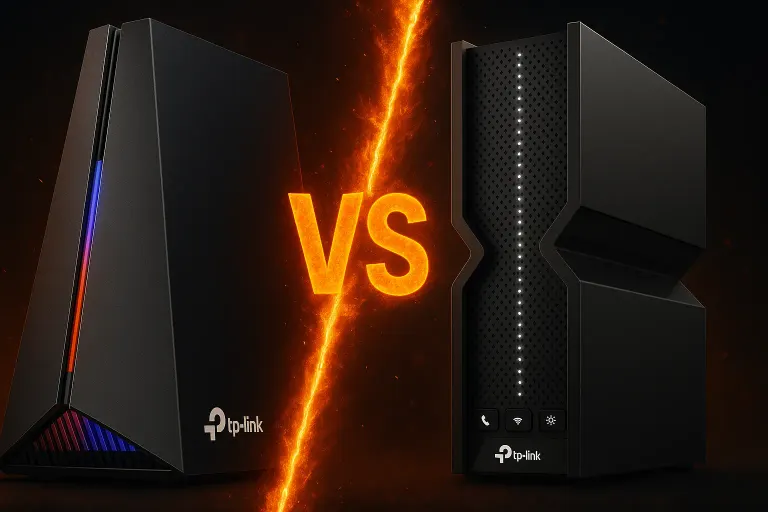
| Design and size | Tall vertical tower with a modern, minimalist look[47]. The antennas are internal, so it doesn’t look like a spidery gaming router[22]. Status LEDs run down the front and can be dimmed or turned off[48]. About 3.0 × 9.1 × 8.0 inches (W×D×H)[49]: a small footprint (3 in. wide) but tall. Matte black. | Angular, “volcano-inspired” gaming design with customizable RGB lighting[12]. Meant as the centerpiece of a gaming setup, with a glow you can set to different colors and modes. Large vents and heatsinks for cooling during “fierce battles” (heavy use)[50][51]. About 9.3 × 7.6 × 5.1 inches (it sits flat, so 5.1 in is the height)[10], much lower and wider than the BE550. Weight ~2.1 kg (a distributor’s figure). Black with RGB accents. It looks like a gaming router, while the BE550 fits into home decor more easily. |
| Pricing | Launch price around $299 USD as an entry Wi-Fi 7 model. It has since become much cheaper: by late 2024 it sold for ~$180 USD on Amazon[52], one of the best-value Wi-Fi 7 routers. Launched earlier (mid-2024) and widely available in the US, EU and Asia at major retailers like Amazon and Best Buy. | Costs more because of the added features. List price roughly $300-$400 USD. In the UK it’s ~£290 (~$360) as of 2025[53]. Early North American listings were around $399+, sometimes more from third-party sellers (e.g. ~$430 on Newegg)[54]. Released later (announced Sept 2024[55]) with a staggered regional rollout. It may not be in every market yet in early 2025[56], but more retailers are getting it. Check local TP-Link sites or retailers for stock. |
| Reviews and ratings | Very positive. Rtings.com says it delivers “fast speeds” and better value than pricier Wi-Fi 7 routers, with the 2.5G WAN port as its only limit compared to premium models[57]. BroadbandNow praises its strong performance “at an affordable price point”[58]. Blacktubi rated it 8.8/10 and called it “refined and polished… excellent Wi-Fi 7 performance… one of the best options” among affordable tri-band routers[59]. Users like the full 2.5G ports and stable Wi-Fi. The main complaints are the tall design and LEDs (a matter of taste) and that some advanced HomeShield features need a subscription[60][61]. Seen as a great all-round router for the money. | Fewer reviews so far, since it’s newer. Early owners say its raw Wi-Fi performance is similar to the BE550’s, plus the gaming tweaks. One verified owner calls it “easy to setup and manage”[62]. Buyers who wanted a gaming router generally like the gaming features (QoS, GPN, RGB), though the effect on latency depends on the network. Professional reviews are still coming in; the GE550 is expected to satisfy serious gamers. If you don’t need the gaming extras, you’re mainly paying for the design and the faster ports. |
| Best uses | General home or office use where you want Wi-Fi 7 speed at a reasonable cost. Good for 4K/8K streaming, AR/VR, heavy downloads and households with many devices. Tri-band capacity and EasyMesh make it suitable for large homes, since you can add mesh nodes to cover dead zones[6]. Power users and small businesses can use the 2.5G LAN ports for fast NAS storage, local servers or multi-gig internet up to 2.5 Gbps. It handles gaming and video calls well too. For future-proof networking in smart homes or offices (IoT devices, lots of clients) without gamer styling, it’s an excellent choice[59]. | Built for gaming enthusiasts and high-performance home networks: competitive online gaming, game streaming and LAN parties, where low latency and traffic prioritization matter most. The gaming band and QoS keep game traffic lag-free even while your family streams or downloads[14]. The two 5Gb ports suit multi-gig internet (>1Gbps) or a 5Gbps link to a gaming PC or 10G-capable NAS, so fast connections aren’t bottlenecked[25]. The cooling and CPU are meant for running flat out under load (torrents, servers, etc.) without throttling. The RGB lighting and edgy design fit a gaming room. Best for gamers and tech enthusiasts who will use its specialized features; for general use they are nice to have but not necessary. |
Sources for the table: official TP-Link product pages and specs[1][4][25][26][63], the TP-Link community announcement[14][17], and reviews from Rtings, BroadbandNow and Blacktubi[58][59].
Wi-Fi standards and coverage
The Archer BE550 and GE550 are both Wi-Fi 7 routers (IEEE 802.11be) with three bands: 2.4 GHz, 5 GHz and the new 6 GHz band. Each has a 6-stream design, two streams per band. They support the Wi-Fi 7 additions: 320 MHz channels, 4096-QAM (4K-QAM) modulation, Multi-Link Operation (MLO) and Multi-RU[2][1]. These give higher throughput, lower latency and better efficiency than earlier Wi-Fi generations[2]. They are backward compatible with the common older standards (Wi-Fi 6/6E/5/4 and so on), so older devices can connect using WPA2 or WPA3 as needed[41].
On the 6 GHz band, which is the headline feature of Wi-Fi 7, each router supports 320 MHz channels, twice the width of Wi-Fi 6’s 160 MHz channels[1][64]. 4K-QAM packs 20% more data into the signal than Wi-Fi 6’s 1024-QAM[65]. MLO lets capable devices connect to 5 GHz and 6 GHz at the same time for more throughput and reliability[8][66]. TP-Link calls both routers “future-proof” for new devices and high-bandwidth applications[67][68].
Both use beamforming. TP-Link suggests the BE550’s six internal antennas cover about 2,000 sq ft[70]. For the GE550’s four high-gain antennas it promises “uninterrupted gaming in every corner of your home”[23]. Real range depends on your home. Rtings rated the BE550’s range as good for multi-level homes (~8/10)[71], and the GE550 should also cover a typical home, though we haven’t found any published range tests for it yet. If one router isn’t enough, both support EasyMesh, so you can add a mesh unit or extender later to cover dead zones[6][9].
Speed and bandwidth
Both routers are rated BE9300, which refers to theoretical Wi-Fi 7 speeds around 9300 Mbps. Per band, the top speeds are roughly 5760 Mbps on 6 GHz, 2880 Mbps on 5 GHz and 574 Mbps on 2.4 GHz[3]. That adds up to ~9214-9220 Mbps (about 9.2 Gbps), hence the name. These are theoretical peak link rates, and a single device will get less. Still, they show that both routers can carry multi-gigabit traffic over Wi-Fi, especially on the 6 GHz band[1][72]. They suit gigabit-plus internet plans and things like 8K streaming, large file transfers and VR, where you need a lot of throughput[73][5].
The WAN (internet) port is where they differ, and it can limit your real internet speed. The BE550’s 2.5 Gbps WAN port[74] handles internet plans up to 2.5 Gbps without a bottleneck, which is already more than most home fiber offers today. The GE550 has a 5 Gbps WAN port[25], so the few people with faster internet (5 Gbps fiber, for example) can use all of it. On a 1 Gbps or 2 Gbps plan either router is fine, and both have far more Wi-Fi capacity than a 1G line.
Apart from the wired ports, the two should perform about the same, since both are built on the same Wi-Fi 7 platform with the same BE9300 spec. The small differences in the spec sheets (5764 Mbps on 6 GHz for the GE550 against 5760 for the BE550) are negligible[4]. Blacktubi points out that the BE550’s 5 GHz radio is 2×2, a step down from the 4×4 in higher-end routers, so its 5 GHz maximum is a bit lower than that of top-end Wi-Fi 6 routers with 4×4[75]. Thanks to 4K-QAM, the BE550 and GE550 still reach a link rate of ~2.88 Gbps on 5 GHz (2×2 at 160MHz). That beats a 2×2 Wi-Fi 6 radio (~2.4 Gbps at 160MHz), though it’s well short of a high-end 4×4 Wi-Fi 6 radio (~4.8 Gbps at 160MHz).
Three bands help when many devices share the network. You can spread them across 2.4, 5 and 6 GHz, and each router can handle dozens of simultaneous connections and heavy traffic on several bands. The 6 GHz band has the most spectrum and suits high-bandwidth devices like Wi-Fi 7 laptops and phones, but its range is slightly shorter than 5 GHz and it’s fastest up close[76]. At longer distances or through walls, 5 GHz often beats 6 GHz because it gets through obstacles better[77]. With MLO, a Wi-Fi 7 device can use 6 and 5 GHz together to make up for this. All of it applies equally to both routers, and it’s worth keeping in mind when you plan where the router goes.
Gaming features
The BE550 is a general-purpose Wi-Fi 7 router with no gaming software or flashy extras. The GE550, the gaming edition, has plenty of both, and this is where the two differ most.
You can still game on the BE550. Its Wi-Fi 7 has low latency, and you can prioritize a gaming device by hand in QoS or simply plug it in with a cable. What it lacks is the extra layer of gaming optimization, which TP-Link says will “accelerate game applications, stabilize connections, minimize jitter, lag and ping”[19]. For an average user or casual gamer that’s probably overkill. If online gaming (especially competitive) is a big part of how you use the network, the GE550’s features could make a noticeable difference while you play.
Automatic gaming QoS
The GE550’s firmware has a Game Acceleration QoS engine that detects gaming traffic and prioritizes it automatically[14], keeping its latency low even when the network is busy with downloads or streams. The BE550 only has standard QoS (Quality of Service), where you prioritize devices or application types by hand[11]. It doesn’t treat gaming as a category of its own, and its controls are less granular.
Gaming port and gaming band
One of the GE550’s LAN ports is a Gaming Port: whatever you plug into it (a gaming PC or console, say) gets priority over other traffic automatically, with no extra setup[15]. The GE550 also lets you reserve its 5 GHz band for gaming devices. TP-Link calls it a “dedicated gaming band”, and the interface labels it the “5 GHz Gaming Band”[4][78]. The idea is that consoles and PCs go on 5 GHz and everything else on 2.4 or 6 GHz, so nothing else competes with them for bandwidth. That’s a usage recommendation more than a hardware change. You can split devices by band on the BE550 too, but you manage it yourself. It has no gaming band and no auto-priority port; all its LAN ports are equal.
WTFast Gamers Private Network
The GE550 has built-in support for WTFast’s Gamers Private Network (GPN), from a partnership between TP-Link and WTFast[17]. The setting, called “Game Server Acceleration by GPN”, uses real-time measurements to find a faster route between your home and the game server, avoiding congested hops on the internet, which can lower ping[17]. Some gaming VPNs and other gaming routers do something similar (Asus ROG routers also use WTFast, for example). In games where every millisecond counts, it could help a lot. The BE550 has nothing like it, so you’d need a third-party service or a gaming VPN on your PC to get the same thing.
Game Center dashboard
The GE550’s firmware includes a Game Center, available in the web GUI and the Tether app, that gathers the network information gamers care about in one dashboard[79][80]. It has:
- a Game Panel with real-time stats (current ping and latency, bandwidth use, CPU load and so on), RGB lighting controls and a list of the games and devices currently being accelerated[13]
- Game Statistics, with reports on gaming traffic over time[81], so you can see how much data your games used
- simplified port forwarding for games, which opens NAT or forwards ports for a gaming device in 3 clicks[18]. The GE550 also has UPnP on by default, so consoles can open the ports they need automatically[82].
The BE550 has TP-Link’s standard interface and Tether app. They include network statistics and settings but nothing specific to gaming: no RGB, no built-in ping monitoring, and port forwarding is the usual manual process.
RGB lighting
The GE550 has customizable RGB lighting that can follow certain modes (pulsing during heavy network use, perhaps)[12][83]. TP-Link describes “seamless multicolor lighting” with millions of colors and several modes[12][113], and you pick the effect (breathing, pulsing or a static color, perhaps) in the Game Panel software. Lighting does nothing for network performance or gameplay, but plenty of gamers care about it. TP-Link sells it as an “immersive atmosphere”, and it makes the router look like gaming gear. The BE550 has nothing colorful, only status LEDs.
Hardware
Processor and memory
The Archer BE550 has a quad-core 2.2 GHz ARM-based CPU with 512 MB RAM[20]. TP-Link advertises the GE550’s processor as a “Quad-Core CPU [to] Turbocharge your gameplay”[21] but doesn’t list the exact chip. It’s almost certainly the same class of hardware, quite possibly the same 2.2 GHz quad-core chip and 512 MB RAM running different firmware, with the same Wi-Fi chipset and amplifiers too.
A fast quad-core CPU and half a gig of RAM are typical for mid- to high-end routers in this class. The BE550’s SoC has enough power for Wi-Fi 7 throughput, multiple data streams and security processing. It runs features like DPI, QoS and VPN smoothly on a home network with dozens of devices and gigabit speeds. The GE550’s extra gaming functions shouldn’t push the hardware past that. You can even run a VPN server or client directly on the router: Blacktubi tested the BE550’s VPN client at ~230 Mbps, which is good for OpenVPN on a router[87].
Antennas
Neither router has external antennas sticking out. The BE550’s 6 internal antennas[22] are arranged vertically inside the tall case for omnidirectional coverage. The GE550 has 4, with a high-gain design[10], which TP-Link’s page describes as “4× optimally positioned antennas”[23]. It’s still a 6-stream device despite having fewer antennas, which suggests some of its antennas serve more than one band.
Antenna count doesn’t translate directly into range, since gain and placement matter too. Rtings praised the BE550’s antennas for strong coverage, better than some mesh units[84]. If I had to guess, the BE550 might have a slight edge in signal reach because of the two extra antennas, especially on 5 GHz, where it may effectively have 2 per band while the GE550 possibly shares antennas across bands.
Build and cooling
Both units are fairly large, well built and ventilated, and both are stable in normal use. The BE550’s vertical case has air vents and is passively cooled. TP-Link doesn’t advertise any special cooling for it, and users haven’t reported overheating even when pushing lots of data. It also draws less power, with no RGB and slightly fewer features running.
The GE550 puts more into cooling, to keep performance stable through long gaming sessions or sustained heavy traffic. It has a large vent and stands on a 2cm stand that lifts it for airflow[50][114], and it has upper and lower heatsinks separated from the base to get rid of heat quickly[51]. The cooling helps if you plan to max out the router for hours, for example downloading at multi-gigabit speeds while gaming.
Apart from the cooling and the two 5G PHYs behind its faster ports, the GE550’s hardware is close to the BE550’s in function. Those extras mostly matter in edge cases: very fast WAN or LAN links and stability under continuous maximum load.
Storage and buttons
Neither router has any meaningful built-in storage (like eMMC for user data), only enough flash for the firmware. Newegg’s spec sheet for the GE550 lists “Storage Capacity: None”[85], so there’s no internal NAS or drive. Both rely on the USB port if you want to attach a drive and share files.
Both have physical buttons for power, reset, WPS, Wi-Fi on/off and LED on/off[86], which is handy for turning off the lights or the radios without opening the interface.
Ethernet and USB ports
The Archer BE550 has 5 Ethernet ports, all 2.5 Gbps (multi-gig): 1× 2.5G WAN port for your internet connection and 4× 2.5G LAN ports for wired devices[74]. None of them is limited to 1G, so two wired devices can transfer at up to 2.5 Gbps if both support it, which puts it ahead of many older routers. There’s no 10 Gigabit port. BroadbandNow’s review put it this way: “the five 2.5 Gbps ports smash through the 1 Gbps barrier… future-proofing your home network”[88].
The Archer GE550 also has 5 Ethernet ports, configured differently: 1× 5 Gbps WAN, 1× 5 Gbps LAN and 3× 2.5 Gbps LAN[25]. The setup is aimed at gamers and enthusiasts who might have a 5 Gig internet service, or a PC with a 5G Ethernet adapter that can use more than 2.5G. You could use one 5G port for the WAN and the other for a very fast NAS or a PC with a 5G adapter[89]. Some might even want to set up one of the 5G ports as a second WAN for two internet connections, if the firmware supports it, though TP-Link doesn’t advertise that.
The faster LAN port only matters if you have very fast devices at home, like a fast NAS, a media server or a PC with a 5G network card. To use the 5G ports fully, your devices need 5G (or 10G) network cards and Cat6/6a cabling. Many people still have Gigabit or 2.5G adapters and won’t use the extra speed right away, though it does make the GE550’s wired side more future-proof than the BE550’s. If you need more than 2.5 Gbps over a cable, from your ISP or inside your network, the GE550 is the better choice[25]. If not, the BE550’s 2.5G ports[74] are already beyond Gigabit and more than enough for most homes.
Both routers have one USB 3.0 port (Type-A) for external storage (USB sticks, hard drives) or a USB printer, and it works the same way on both. It supports the common filesystems (NTFS, FAT32, exFAT, HFS+) and can act as a network file share (Samba/SMB), an FTP server and a media server for streaming to your TVs[90][91]. Plug in a USB hard drive and you have a simple NAS for the household. Speed is usually limited by the drive and the CPU, but with USB 3.0 and a quad-core CPU you might see ~100 MB/s in good conditions. Neither has USB-C or a second USB port.
Neither router’s materials mention link aggregation, which lets some routers combine two LAN ports (for a NAS, for example). With multi-gig ports it matters less, and the GE550’s 5G port already beats a 2×1G link anyway.
Software
Both routers run the updated firmware TP-Link ships with its Wi-Fi 7 routers, so they share the same app, web interface and HomeShield services. The software differs only in the GE550’s gaming add-ons and WireGuard VPN. The BE550’s firmware is very complete for a non-gaming router. It covers parental controls, QoS and VPN, including running a VPN server or client, which many basic routers can’t do[102][106]. If you don’t need the gaming dashboard or GPN, you aren’t missing any major general feature.
Setup and the app
Both routers can be set up quickly with the TP-Link Tether app (Android/iOS), and the GE550’s process is essentially the same as the BE550’s. The app walks you through creating your Wi-Fi network. Both also have a web-based GUI in the browser for more advanced configuration, like detailed port forwarding or VPN setup[93][94]. Both support logging in with a TP-Link ID cloud account, so you can check on or control the router remotely through the app when you’re away.
After setup, the Tether app is where you manage the network. It lists connected devices with their signal strength and data use, and you can rename them or put them in profiles. You can turn guest Wi-Fi on and off, look at HomeShield threat reports and parental control settings, and update the firmware, either automatically through the cloud (Auto Firmware Upgrade)[99][100] or manually through the app. On the BE550 you also set QoS here, by device priority or by picking a general QoS mode (streaming, gaming and so on)[11].
Apart from the GE550’s Game Center, the navigation (client list, parental controls and so on) is the same in both apps. BroadbandNow’s review says the BE550’s app “nails it with a thoughtful design”[101], and the GE550’s app should be just as easy to use.
Parental controls
Both routers use TP-Link HomeShield for parental controls. The free tier (HomeShield Basic) already lets you:
- create user profiles and assign devices to family members
- set time limits, bedtimes or off-time schedules, and web content filters (TP-Link provides preset filter categories, and the paid tier adds SafeSearch enforcement)[95][96]
- pause the internet for a device or profile with one tap (nice at dinnertime)[33]
- see weekly or monthly reports of each profile’s online time and most visited categories in the app[33]
These controls work the same way on both, though the GE550’s interface may put them in a Parental section under HomeShield while the BE550 lists them directly under HomeShield. HomeShield Pro, a subscription that both routers support, unlocks more, such as finer content categories and usage time quotas[97]. Either router works well for managing kids’ internet access or blocking inappropriate content[32][37].
Mesh networking
Both the BE550 and GE550 are EasyMesh compatible[6][9], which some older routers aren’t. EasyMesh is TP-Link’s implementation of the Wi-Fi Alliance mesh standard, so you can mix and match EasyMesh-certified devices: another BE550 as a mesh node, for example, or a future TP-Link EasyMesh extender. All the units share one network name and devices move between them without reconnecting. Both routers also support OneMesh, TP-Link’s older proprietary mesh.
EasyMesh works best between similar models. A BE550 and a GE550 should work together in theory, with either one as the main router, but the newer GE550 might need a firmware update before it fully supports mesh with older models. TP-Link notes that some EasyMesh functions may be added through updates[98].
VPN
VPN support is one of the real differences. The Archer BE550 can act as a VPN server and client with the traditional protocols: OpenVPN, PPTP and L2TP[34][35]. You can set it up as an OpenVPN server to reach your home network securely from elsewhere, or as a VPN client so all traffic from every device goes through a VPN provider. WireGuard was not listed in its spec or interface at launch.
The Archer GE550 lists “WireGuard VPN Server/Client” alongside OpenVPN/PPTP/L2TP[39]. WireGuard is a newer VPN protocol known for high performance and low latency, which suits gaming, and it’s simpler and faster than OpenVPN. You could run a WireGuard server on the GE550 and connect to your home network from your phone or laptop, or use the GE550 as a WireGuard client to a third-party VPN service to protect the whole network.
Blacktubi’s review said the BE550 “even supported the well-known WireGuard protocol” after updates[102], which suggests TP-Link added it through firmware at some point. Only the GE550 advertises it, though, so if WireGuard on the BE550 matters to you, check the firmware release notes.
Voice control and the IoT network
Both routers work with Alexa and Google Assistant, so you can say “Alexa, ask TP-Link to enable the guest network” or have it turn off the LEDs.
TP-Link’s spec sheets also mention an “IoT Network”. On some newer TP-Link routers this creates a separate Wi-Fi network just for smart bulbs, cameras and other IoT devices. If you turn it on, they get internet access on their own SSID but can’t reach your main devices, so a hacked IoT camera, say, can’t get to your PC. The GE550’s product page lists “IoT Network”[103]. The two share firmware, so the BE550 may support it too.
Firmware updates
TP-Link often adds features and fixes through firmware updates, and both models are new enough to keep getting them. TP-Link’s spec notes say these routers may not support every 802.11be feature until the standard is finalized[104][105], so updates could improve those. EasyMesh, and maybe future compatibility with TP-Link’s Omada or other systems, could also get better over time.
Security
Security is close to identical on the two. The only feature one has and the other lacks is WireGuard VPN on the GE550, plus perhaps earlier access to some features because it’s the newer model.
Both support WPA3, the latest Wi-Fi security protocol, as well as WPA2 and WPA for older devices[41][44]. WPA2/WPA3 mixed mode lets every device connect. They also support WPA/WPA2-Enterprise (802.1X), so you can use RADIUS authentication if you need it, which is more common in business environments[41]. Few home users need that, but it shows the security feature set is complete.
Both act as a NAT firewall for your network. They have an SPI (Stateful Packet Inspection) firewall, access control, and the usual DMZ and port forwarding[107][108], which are standard router features. HomeShield adds threat protection on top:
- Malicious site blocking stops any connected device from opening known malicious or phishing sites by checking them against TP-Link’s cloud database[42]. It works like a security filter for all your internet traffic.
- The intrusion prevention system (IPS) watches incoming traffic for attack patterns, like port scans or exploit attempts, and can block them[42].
- DDoS protection detects and mitigates denial-of-service attacks, for example if someone tries to flood your connection[42].
- The home network scanner checks your own network for problems like weak passwords or unpatched devices and alerts you[42].
All of these HomeShield functions are on both routers. The GE550 is marketed with “robust antivirus protection for a secure gaming experience”, but it runs the same HomeShield engine[45]. In effect it’s a basic antivirus and firewall for every device on your network, which is especially useful for IoT gadgets. On both routers, some advanced features (more detailed reports, IoT device analysis, specific controls) may need a HomeShield Pro subscription after a trial[97]. You don’t have to pay anything for the main protections, though: TP-Link’s notes say HomeShield Basic is free and Pro is optional[109][110].
Automatic firmware updates[99] matter for security, because holes in the router’s own software get patched quickly. TP-Link has been reasonably good about updating its new routers, and as current Wi-Fi 7 models these will probably get security patches for several years. Both can also send encrypted feedback and diagnostics to TP-Link for troubleshooting if you opt in.
Both support a guest Wi-Fi network on each band[43][46][69]. Guest networks can be isolated from your main network, so guests reach the internet but not your personal devices. That’s useful when you have visitors, or if you run a guest hotspot in something like a small café or office.
The VPN server (OpenVPN on both, WireGuard on the GE550) means you don’t have to expose ports for something like a home NAS; you connect over the VPN and appear to be at home.
On both routers you can turn off WPS. WPS can be a risk if it’s left active indefinitely. And on either one you should change the admin password (obvious, but worth doing).
Design and size
The two look very different, each styled for its intended buyer.
Archer BE550
The BE550 is a vertical tower: a black, rectangular box with rounded edges. For this Wi-Fi 7 series TP-Link moved away from flat, alien-looking routers to something shaped more like a smart speaker or a mini PC. No antennas stick out, which keeps it tidy. BroadbandNow’s review noted that it “doesn’t look like a miniature UFO compared to routers such as the Archer AX55”[22], a funny way of saying it blends into a home better than spidery gaming routers. A row of dotted LEDs on the front lights up during boot (the same review compared it to a Star Trek warp core charging up)[48]. The LEDs show the status of power, the bands, the internet connection and so on, and if they’re too bright, a button or setting turns them off or dims them[48].
It measures about 3.0 × 9.1 × 8.0 inches (W×D×H)[49], roughly 7.6 cm wide, 23 cm deep and 20 cm tall, so it’s narrow but fairly deep and tall. The case is all matte black plastic, and TP-Link doesn’t list a weight. It also can’t easily be wall-mounted: there’s no mention of mounting slots, and Blacktubi lists “does not support wall mounting” as a con[111].
Archer GE550
The GE550 goes the other way and is deliberately styled as a gaming router. TP-Link describes it as “volcano-inspired” with a “high-performance launch pad appearance”[112]. It sits horizontally like a low console, with angular lines. The RGB lighting is built in, and in a dark room it gives off a fiery glow that matches gaming setups full of LED backlights and lit-up components. You can dim or turn off the RGB if you’d rather it be discreet, though that removes part of the point. With no external antennas the shape stays clean.
One source lists the GE550 at about 237 mm × 193 mm × 129.5 mm (it isn’t clear which figure is height, width or depth)[115], roughly 9.3 × 7.6 × 5.1 inches. TP-Link’s setup guide says it is designed to sit flat, so it is much lower than the BE550 (about 13 cm tall against 20 cm) but far wider. A distributor gives the weight as about 2.13 kg[116], which is heavy for a router. That figure may include packaging.
Placement and build
The BE550 is made for the living room, for people who want a network device that “blends into the background”[117]. It has a smaller footprint, and its LED array is subtle and can be switched off completely[48]. It’s best placed upright on a shelf or desk, since the vertical orientation helps its antennas, and having the antennas high up might give it slightly better vertical coverage.
The GE550 looks like something out of a sci-fi game, and it’s meant to be seen: on a desk or a shelf in a gaming room, next to a gaming console or on a media center where the lights show. It takes up more surface and needs some room around it for ventilation. Its flatter shape might also let it go in an AV rack or under a monitor, as long as there’s room for its larger footprint.
Both are solidly built, the GE550 more heavily. Neither has removable antennas or modular parts, so there’s nothing to upgrade.
Prices and availability
The Archer BE550 is positioned as the affordable Wi-Fi 7 router and the Archer GE550 as the higher-end gaming model, and the prices follow from that. If budget matters, the BE550 wins easily: at current street prices it costs a fraction of what other Wi-Fi 7 routers do[52]. The GE550 costs more for its specialized features, which is worth paying if you’ll use them or if you’re an enthusiast happy to pay extra. As I write this, the BE550 at ~$180-$200 is one of the best routers for the money, and the GE550 at around $300+ is a more niche purchase. Networking prices move around and sales are common, so check current prices before you buy.
Archer BE550
When Wi-Fi 7 routers first launched (around early to mid 2024), the BE550 had a retail price of roughly $299 USD in the US (and around €299 in Europe, £270 in the UK and so on). It was billed as “the most affordable” Wi-Fi 7 router at the time, bringing the new standard in under $300[118]. As competition grew, the price dropped a lot; Dong Knows Tech noted that it was originally $300 but “seven months later, it’s even more affordable”[118]. By late 2024 it was often on sale for ~$180-$200 USD[58], and BroadbandNow’s review in late 2024 listed it at “$179.99 on Amazon”[58]. At that price it undercuts many Wi-Fi 6E routers despite being Wi-Fi 7. In 2025 it seems to sit in the $180-$250 range depending on sales and region, and around $200 is common. Some retailers list it higher and then discount it, so check several.
The BE550 has been widely available since 2024. You can find it on Amazon and at Best Buy, Newegg, B&H and other electronics retailers in North America, Europe and Asia. Some listings just call it “Archer BE9300”, which is the same unit. There are also reports of a variant sold under that name (Walmart had one with slightly different port labeling)[119], but an Archer BE550 bought today is the full 2.5G port version. Stock seems steady, and TP-Link will probably keep selling it as the entry-level Wi-Fi 7 option next to its pricier models.
Archer GE550
The GE550’s launch MSRP seems to be around $349-$399 USD, and list prices in local currencies elsewhere convert to a similar or somewhat lower range. Amazon Canada showed a list price around C$390 (about $290 USD)[120], and a Malaysian retailer listed it at around MYR 1700 (~$360 USD). Early US listings from third-party sellers, before the official wide release, were $430+ (probably marked up)[54]. As more retailers stock it, it will probably settle around $300-350 if the market follows the usual pattern: it has more features than the BE550 but sits below the pricier flagship BE800/BE900.
Regional prices vary. In the UK it has been seen at around £289 (approx $360)[53]. In some Asian markets it may be as low as ~$270 after conversion and sales, and one Hong Kong promotion had it even lower, at HK$1,829, about $234 USD, though that was probably after a large local discount[121][122]. Those lower prices may not reflect Western markets. As a rough rule, the GE550 costs $100+ more than the BE550 when neither is on sale, and that pays for the 5G ports and the gaming features.
The GE550 was announced in September 2024[55] and rolled out in stages; TP-Link’s notice said some regions would get it later[56]. By 2025 it had started appearing in North America, Europe and Asia, but it’s still somewhat niche. Listings usually call it “Archer GE550 (BE9300) Gaming Router”. It’s on Amazon in some regions (in the US possibly through TP-Link’s official Amazon store or third parties), on Newegg (where a Canadian importer listed it as of mid-2025)[54], and at specialty retailers. If the big stores don’t have it yet, that may be the later rollout, and TP-Link’s local website or authorized resellers are worth checking. As a high-end product it may stay harder to find than the mass-market BE550, though stock should improve over time and the price may come down if other brands launch similar Wi-Fi 7 gaming routers.
Warranty
Both routers usually come with a 2-year manufacturer warranty, though this varies by country (often 2 years in the EU, 1 year in some other places). TP-Link has a decent support community, judging by the official forum threads for these models, and keeps releasing firmware updates. Buy from an authorized seller to be sure the warranty applies.
What reviewers and users say
Archer BE550 (BE9300)
Rtings gave the Archer BE550 strong marks for speed and range in its category. It said that for most people the BE550 is a better choice than ultra-high-end models, because it offers “similar speed and range… and significantly better value”[123]. Rtings scored it around 8.5/10 for apartments and 8.0 for larger homes[124]. The only limitation it mentioned was the 2.5G WAN port, compared with the 10G ports on more expensive routers, which doesn’t matter unless your internet is faster than 2.5G[57].
BroadbandNow’s review praised the mix of performance and price. Its bottom line said the BE550 “offers strong throughput at an affordable price point of $179.99” and called it “a great option for budget-conscious users”[58]. The reviewers liked that it brings Wi-Fi 7’s benefits (wider channels, MLO and so on) to a reasonably priced device, and mentioned EasyMesh for better coverage. They cautioned that, as with any router, speeds drop with distance and larger homes may need mesh[52], but it met their expectations.
Blacktubi, a tech blog, gave the BE550 an 8.8/10 “Tubi Rating” and called it “an excellent product… refined and polished”. It concluded that the router “offers excellent Wi-Fi 7 performance while providing flawless and bug-free backwards compatibility with older devices”[59]. The pros included the all-2.5G ports and strong VPN performance[125]. The only cons were the lack of wall mounting and that advanced HomeShield features need a subscription[111], both fairly minor. The verdict was that the BE550 is “one of the best options currently available” among affordable tri-band Wi-Fi 7 routers[59].
Other outlets (Dong Knows Tech, GadgetPilipinas and others) also describe the BE550 as solid Wi-Fi 7 on the cheap, and GadgetPilipinas called it a “capable but premium-priced router that demonstrates the potential of Wi-Fi 7”[126]. Premium-priced compared with older technology, that is. Next to other Wi-Fi 7 routers it’s cheap, it performs only a notch below the ultra-high-end models that cost 2-3× more, and mesh and security features come included. It’s often recommended as a “bang for buck” router in 2024/2025 for tech enthusiasts who want Wi-Fi 7.
Users mostly echo the reviewers. People upgrading from Wi-Fi 5 or early Wi-Fi 6 routers notice the improved speed and capacity, especially if they have Wi-Fi 6E/7 devices that can use the 6 GHz band. Blacktubi’s review makes the same point: “those upgrading from an older router will definitely feel the more responsive performance”[127]. Smooth 4K streaming, better performance on busy networks and fast wired speeds through the 2.5G ports come up often.
Easy setup and management is another common point, and the Tether app is often called straightforward. BroadbandNow’s reviewer, who’d had a rocky experience with another model, found that with the BE550 “the whole setup [was] surprisingly smooth”[92].
Opinions on the design are mixed. Some love the minimalist look and internal antennas (“fits nicely in the living room without looking weird”), while a few wish it could be wall-mounted or were a bit smaller. Some like the LED light strip, and a few found it distracting in a dark room until they turned it off[48], which TP-Link fortunately allows.
Early firmware had some minor bugs, as new technology usually does, but users report that updates improved stability. There aren’t widespread complaints about disconnects or crashes, which is a good sign for a first-generation Wi-Fi 7 router. Users also appreciate the backward compatibility (“all my older devices connected without issues”), so Blacktubi’s comment about bug-free compatibility seems to hold up in everyday use[59].
On the negative side, some users point out that the advanced HomeShield features (like detailed parental insights or longer logging) need a subscription, and feel they should be free given what the router costs. A few expected more range from Wi-Fi 7, but on the far side of a big house with walls you may still need an extender or mesh node. In one Reddit thread, a user was underwhelmed by performance through walls on 6 GHz. That’s expected given the shorter range of 6 GHz, and in those cases the router should steer devices to 5 GHz, which it generally does. Now and then someone reports a device-specific quirk, such as a particular IoT device having trouble on 6 GHz. Firmware updates or the community (TP-Link’s forum is active) usually sort those out.
Archer GE550
The GE550 came out more recently (many regions only got it in 2025), and at the time of writing few major outlets have reviewed it in full. Coverage of Wi-Fi 7 routers has gone mostly to the top-end models (some sites mention the GE800 or BE800), and the more niche GE550 hasn’t had the same attention. For now there are TP-Link’s own descriptions and a handful of user impressions.
A 5/5 user review on PB Tech, a New Zealand retailer, simply says it’s “easy to setup and manage”[62], so the gaming features don’t seem to get in the way of setup.
On Reddit, potential buyers have asked about the GE550 and noted that “there isn’t a lot of reviews about it”[128]. Early owners who replied mostly said it performs as solidly as the BE550 (it’s basically the same core hardware), and that the real differences are the ports and the gaming features. One user had expected better wireless performance but saw results similar to a Wi-Fi 6 router at a distance, which again probably comes down to the 2×2 antenna design.
On TP-Link’s forum, another owner wrote: “the router is very pretty but [on my 200 Mbps connection] it only gets 179 Mbps max… my old AX6000 got more”[129]. That could be a configuration issue, or their old Wi-Fi 6 setup was 4×4 where this one is 2×2 on Wi-Fi 7. It’s a single report, and nearly everyone should get the full 200 Mbps from either router. A TP-Link rep did reply on the forum, which is a good sign for support.
Going by its specs and the BE550’s reception, the GE550 shouldn’t perform worse than the BE550, except maybe slightly shorter range in some spots with 4 antennas instead of 6. The gaming features are mostly software, so whether they bring measurable gains (a few ms lower ping, for example) will vary. People who have used features like GPN find them helpful, but there’s no broad consensus yet on how much they help. More testing should show whether GPN consistently cuts latency in popular games by a meaningful amount. If it does, competitive gamers have a strong reason to choose the GE550.
Gamers who have bought the GE550 often mention the RGB and the design, mostly positively (“looks awesome on my desk”). People coming from older gaming routers like Nighthawk or Asus like the new TP-Link interface and usually find the web GUI’s game panel informative. Some say the RGB reacts to certain modes, such as flashing when a new device joins or changing color with network load (these may be triggers the user set up).
More technical users like the 5G ports. On forums, some report connecting a multi-gig NAS or a LAN aggregator and getting real transfers above 2.5 Gbps, and those who need that are glad they didn’t have to buy a $600 router for it. Without needs beyond 1G, you probably wouldn’t notice any difference from the BE550 in daily use apart from the looks.
No widespread stability problems have been reported so far. The GE550 presumably runs on a firmware base similar to the BE550’s, which is mature by now. TP-Link’s community thread and firmware support look active, and updates may improve the gaming features or compatibility, so early owners should keep the firmware up to date.
The main complaints are price and availability. Some say it would be more compelling if it cost closer to the BE550, but at launch prices the gap is large. A few non-gamers ended up buying a BE800 or another model because the GE550 wasn’t in stock or wasn’t sold in their country at the time. If you buy it just because it’s the “higher” model and don’t care about gaming, the extra cost probably won’t feel justified, since a BE550 would do the same job for less.
Which has better reviews
For now the BE550 has more reviews, and they’re very positive (around 8-9/10); it’s a proven value pick[52][59]. The GE550 is similar enough that it will probably be received well too, though by a smaller audience. My guess is something like 8/10 from a gaming perspective: it would score well if reviewers find it lowers gaming latency a bit, and not much higher than the BE550 (apart from credit for the better ports) if they decide the gaming features are mostly marketing. If you put a lot of weight on track record and community-reported reliability, the BE550 has the edge for now. Nothing reported about the GE550 so far looks like a red flag; the question is whether its extras are worth the money to you.
Which router suits which home
Where the BE550 fits
The BE550 is a good all-purpose router for a home with lots of devices (smartphones, tablets, smart TVs, IoT gadgets and so on). Its tri-band Wi-Fi 7 handles many devices at once thanks to OFDMA and MU-MIMO improvements, and it can spread them across the bands to avoid congestion. If you have a mix of older and newer devices, its “flawless backward compatibility” means even Wi-Fi 5 laptops and smart plugs work smoothly[59], while new Wi-Fi 6E/7 gadgets get the full speed of 6 GHz.
If your household does a lot of 4K/8K streaming, video conferencing, cloud gaming or large downloads, the fast Wi-Fi and 2.5G LAN ports help. Several people can stream 4K video while someone else downloads a game and another person is on a Zoom call, without saturating it. It also suits AR/VR, such as wireless VR headsets that support Wi-Fi 6/7, which need low latency and lots of bandwidth[73].
It can future-proof your network for the next 5+ years without spending a fortune. It’s one of the most affordable Wi-Fi 7 routers but still has the core Wi-Fi 7 features (320MHz, MLO and so on)[130], so upcoming Wi-Fi 7 phones and laptops can use their full speed. EasyMesh lets you extend coverage later without replacing it.
For working from home, it gives you the stable, fast connection you need for video calls, VPN and large file transfers. QoS can prioritize a work laptop if needed, the VPN server lets you reach your home PC securely while traveling, and HomeShield can block phishing and malware sites at the network level, which is useful if you handle sensitive work.
It handles light to moderate gaming too, and many serious gamers will do fine with it. Over Ethernet, or even Wi-Fi 6/7, ping times are comparable to any high-end router, since the routing hardware is powerful. Unless you specifically need GPN or the extra prioritization, you can prioritize your console manually in QoS or just rely on the raw performance, especially on an uncongested network or over a cable. It may even be ideal for a mixed household where one person games, another streams and a third works, because it handles all of it without favoring the gamer.
With full 2.5G ports and WPA/WPA2-Enterprise (802.1X) support, the BE550 could even work in a small office or studio. It can give a couple of high-performance workstations (for designers, editors and so on) a multi-gig wired backbone and provide fast Wi-Fi for everyone else, with the guest network for visitors. Its range might cover a small office floor, and larger offices could use several units over EasyMesh.
In a smart home with lots of cameras, locks and lights, the BE550 can keep them on the 2.4 GHz band (which it runs in Wi-Fi 7/6 mode for efficiency) and your main devices on 5/6 GHz. The IoT network, if you use it, isolates those devices for security, and HomeShield helps protect any vulnerable IoT device from outside threats[42].
It’s less suited if you need wired speeds above 2.5G or the gaming-specific features.
Where the GE550 fits
If you play competitive esports titles (Counter-Strike 2, Valorant, Call of Duty Warzone and the like) or MMOs where ping and stability matter, the GE550’s Gaming QoS and GPN can shave off some latency and prevent lag spikes[14][17]. The QoS helps most when other people often bog down your network, say your family streams Netflix or downloads while you play, because it automatically keeps your gaming packets at the front of the line[14]. The WTFast GPN is most useful on distant servers (across continents or in another region) or in games with poorly optimized netcode, where it might lower your ping by finding a faster path.
If you live-stream your games on Twitch or YouTube, the GE550 is a good fit. Streaming gameplay takes a lot of bandwidth (especially at 1080p/4K) and you can’t afford interruptions. Its QoS can prioritize both the game and the stream upload, and its 5G WAN port means you get the full benefit of a very fast upload on a fiber line. The RGB lighting might even look good in the background of your stream.
If you’re among the few with internet faster than 2.5 Gbps (some providers now offer 5 or even 10 Gbps plans), the GE550 is better equipped: its 5G WAN port can take in up to 5 Gbps from your modem[25], while the BE550 caps at 2.5 Gbps (a 10 Gbps plan would still be capped at 5 Gbps on the GE550). On a plan faster than 2.5G, it’s the clear choice if you want all the bandwidth you pay for. Even on a 2 Gbps plan, it might cope better if you’re also doing heavy transfers on the LAN.
The 5G LAN port plus 3×2.5G LAN ports suit a home with several multi-gig wired devices. If you have a NAS that supports 10G or 5G, you can put it on the 5G LAN port, so two PCs on the 2.5G ports can both pull files from it at the full 2.5 Gbps at the same time. That’s handy for video editors moving huge files, or for running a Plex media server that several people stream from. At a LAN party, a GE550 could connect several gaming PCs at multi-gig speeds with minimal latency on the local network.
If you’re a gamer and also into smart home gear, the GE550 can keep the traffic apart. Put all your IoT devices on 2.4 GHz or a guest network, and let the GE550 keep the less crowded 5/6 GHz bands for gaming and your main devices. It has the capacity to do both, serving dozens of IoT gadgets (cameras, sensors) without hurting game performance, and HomeShield keeps an eye on the security of those IoT devices.
If you’ve already put money into an RGB keyboard, mouse, PC case and LED backlights, a plain router might feel out of place, and the GE550 fits the theme. Its game panel also shows real-time network stats that the average router doesn’t, which is fun if you like to tinker.
If you host game servers or run a home lab, the GE550’s mix of high throughput and advanced settings (like port forwarding profiles for games) can be handy. It also has an advantage if you run a VPN server so friends can join your LAN games remotely: WireGuard on the GE550 will be faster and leaner for that than OpenVPN on the BE550.
In other situations the GE550 is overkill. If you don’t game seriously and don’t need multi-gig speeds, you won’t use its special features, and a BE550 would serve just as well. And if you want a discreet router in a minimalist living room, the GE550’s look may not suit it.
Choosing between them
The BE550 covers a broad range of uses: families, home offices, general streaming and browsing, getting Wi-Fi 7 on a budget, moderate gaming and heavy internet use in general. If gaming isn’t a top priority and cost matters, it’s the sensible pick.
The GE550 is for people who specifically need its gaming capabilities or its faster wired ports: a gamer who wants the lowest possible ping and will benefit from traffic prioritization and GPN, or someone with multi-gig internet who wants to use all of it. It’s built for gaming while the rest of the household is using the network, so nobody else in the house is “lagging you out”. If gaming is your main hobby or you need top-tier wired speeds, it’s worth the extra money.
Sources
TP-Link product specifications and features from official site[1][4][25], TP-Link Community forum (Kevin_Z’s intro for GE550)[14][17][18], Rtings.com router review[123], BroadbandNow review[58], Blacktubi review[59], and retailer listings for dimensions and pricing[115][53].
[1] [5] [6] [7] [11] [24] [26] [27] [30] [32] [33] [34] [35] [41] [43] [49] [64] [65] [66] [67] [73] [74] [86] [90] [93] [95] [99] [104] [107] [109] [130] Archer BE550 | BE9300 Tri-Band Wi-Fi 7 Router | TP-Link
https://www.tp-link.com/us/home-networking/wifi-router/archer-be550/
[2] [3] [4] [8] [9] [12] [13] [16] [21] [23] [25] [28] [29] [36] [37] [38] [39] [40] [44] [45] [46] [50] [51] [63] [69] [72] [78] [79] [80] [81] [83] [89] [91] [94] [98] [100] [105] [108] [110] [114] Archer GE550 | BE9300 Tri-Band Wi-Fi 7 Gaming Router | TP-Link Malaysia
https://www.tp-link.com/my/home-networking/wifi-router/archer-ge550/
[10] [115] ARCHER GE550 - Tp-link - BE9300 Tri-Band WiFi 7 Gaming Router …
https://cpcireland.farnell.com/tp-link/archer-ge550/be9300-tri-band-wi-fi-7-gaming/dp/CS38077
[14] [15] [17] [18] [19] [55] [56] [68] [82] Archer GE550 - BE9300 Tri-Band Wi-Fi 7 Gaming Router - Home Network Community
https://community.tp-link.com/en/home/forum/topic/701064
[20] [22] [31] [42] [47] [48] [52] [58] [60] [88] [92] [101] [117] TP-Link Archer BE550 Router, Tested and Reviewed
https://broadbandnow.com/guides/tp-link-archer-be550-review
[53] TP-Link Archer GE550 BE9300 • See best prices today »
https://www.pricerunner.com/pl/168-3396379894/Routers/TP-Link-Archer-GE550-BE9300-Compare-Prices
[54] [85] TP-Link Archer GE550 Network - Wireless Routers - Newegg.com
[57] [71] [84] [119] [123] [124] TP-Link Archer BE550 Review - RTINGS.com
https://www.rtings.com/router/reviews/tp-link/archer-be550
[59] [61] [75] [76] [77] [87] [96] [97] [102] [106] [111] [125] [127] TP-Link Archer BE550 Review: Affordable Wi-Fi7 with 6GHz
https://www.blacktubi.com/review/archer-be550/
[62] [112] [113] Buy the TP-Link Archer GE550 (BE9300) Tri-Band WiFi 7 Gaming Router 5GbE x2 /… ( Archer GE550 ) online - PBTech.com
https://www.pbtech.com/product/NETTPL5509300/TP-Link-Archer-GE550-BE9300-Tri-Band-WiFi-7-Gaming
[70] Amazon.com: TP-Link Tri-Band BE9300 WiFi 7 Router (Archer BE550) - 6-Stream, Full 2.5G Ports w/ 6 Internal Antennas, Up to 2,000 Sq Ft, Add Easy-Mesh Device for Extended Coverage, VPN Support, Free Expert Support : Electronics
https://www.amazon.com/TP-Link-Tri-Band-Archer-BE550-HomeShield/dp/B0CJSNSVMR
[103] Archer GE550 | BE9300 Tri-Band Wi-Fi 7 Gaming Router - TP-Link
https://www.tp-link.com/ca/home-networking/wifi-router/archer-ge550/
[116] TP-Link Archer GE550 BE9300 Tri-Band Wi-Fi 7 Gaming Router …
[118] TP-Link BE9300 Archer BE550 Review: Solid Wi-Fi 7 on the Cheap
https://dongknows.com/tp-link-archer-be550-be9300-wi-fi-7-router-review/
[120] TP-Link BE9300 Tri-Band WiFi 7 Gaming Router (Archer GE550)
https://ca.camelcamelcamel.com/product/B0DSCBYSN1
[121] [122] TP-LINK Archer GE550 BE9300 Tri-Band WiFi 7 / Wifi7 Gaming Router
[126] TP-Link Archer BE550 Wi-Fi 7 Router Review - Gadget Pilipinas
https://www.gadgetpilipinas.net/2025/02/tp-link-archer-be550-review/
[128] TP-Link Archer GE550 BE9300 : r/TpLink - Reddit
https://www.reddit.com/r/TpLink/comments/1kvqz9t/tplink_archer_ge550_be9300/
[129] New Arrival Archer GE550 - BE9300 Tri-Band Wi-Fi 7 Gaming Router
https://community.tp-link.com/en/home/forum/topic/701064?replyId=1546952